


Q+A · No. 06 · Type
Can we use any font we like?
Fonts look like design decisions. They're also software, licensing and performance decisions.
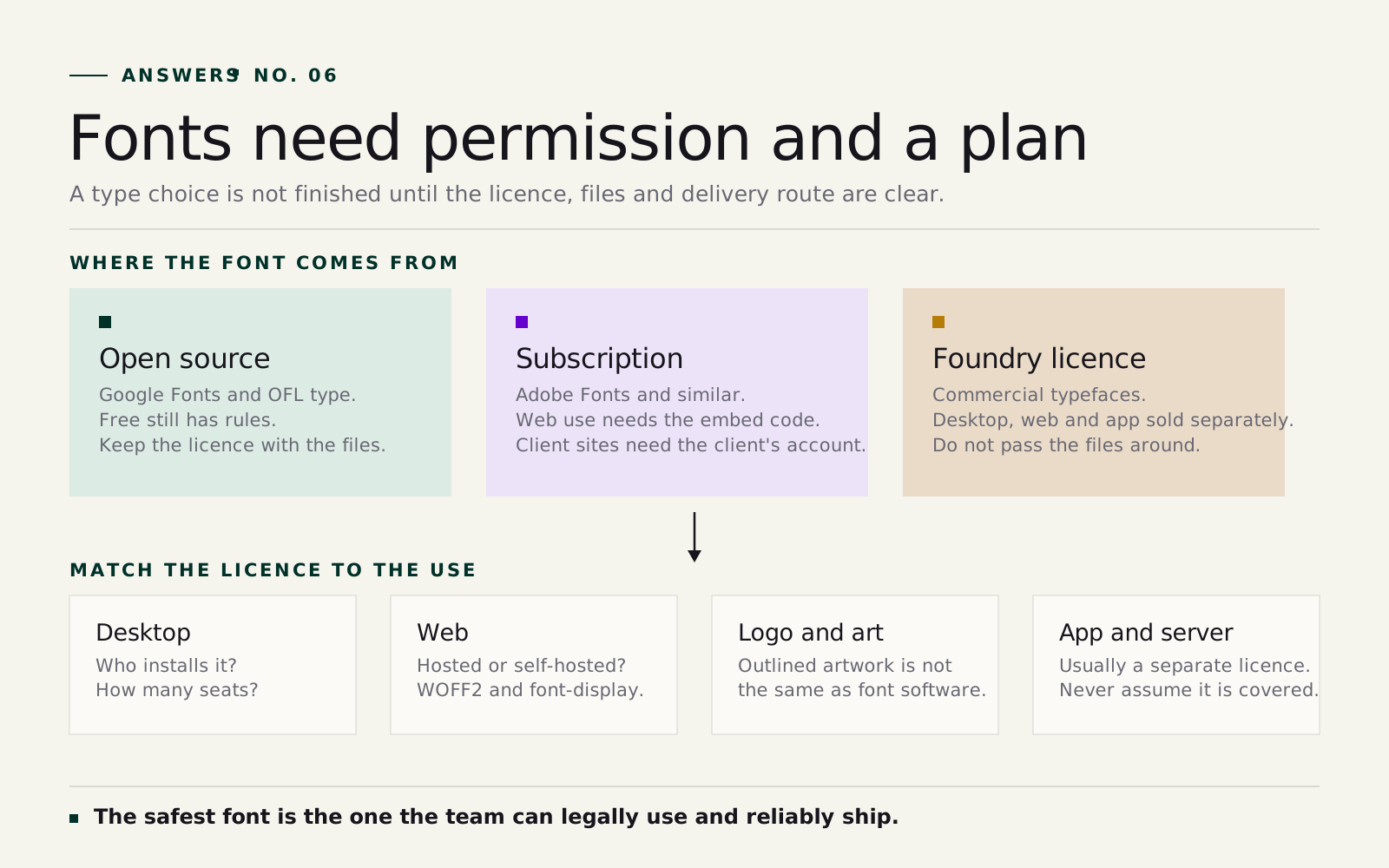
Not quite. A font file is software, and its licence says what you can do with it: install it, use it on a website, embed it in an app, hand it to a supplier. Desktop, web and app use are often licensed separately.
A typeface can feel perfect in a brand presentation and still cause problems later if nobody knows who owns the licence or whether the website is allowed to serve it. The fix is simple: check the licence before the typeface is locked in, and write the details into the brand guide.
The longer answer
Fonts are software
A font isn't just the shape of letters. The file is software, and the licence explains what you're allowed to do with it. A desktop licence may let a designer create finished artwork but not allow the same font on a website. A web licence may cover one domain and charge by pageviews. App, server and product use often have their own rules. Treat fonts like ordinary image files and licensing gets messy quickly.
Google Fonts: generous rules, still worth documenting
Google Fonts are open source and free for commercial use, including logos, which makes them the easy answer for many projects. But free doesn't mean unmanaged. The brand guide should still record the family name, the chosen weights, the licence, the fallback stack and whether the site loads from Google or self-hosts the files.
Adobe Fonts: generous, but tied to a subscription
Fonts activated through Adobe Fonts are licensed for personal and commercial use, which suits design teams already inside Creative Cloud. The web rules are more specific: Adobe fonts must load through Adobe's own embed code, self-hosting isn't offered, and a client's website must run on the client's own subscription. Settle that before launch.
Web fonts are a performance question too
On the web, the browser has to download the font, render the text and fall back gracefully if something is slow. Large font files delay text; poor fallbacks cause layout jumps when the real font arrives. A good web font plan loads only the weights the site needs, uses the modern WOFF2 format and picks fallback fonts close enough to avoid ugly shifts. The type choice has to hold up on a slow phone connection as well as in the launch deck.
Self-hosting isn't automatically allowed
Self-hosting means the website serves the font files itself, which is often technically ideal. Legally, it depends on the licence. Google Fonts can usually be self-hosted. Adobe Fonts cannot. Commercial foundry fonts may need a specific web licence based on domains, traffic or term. Projects get expensive when the design team picks a beautiful commercial typeface and the website team assumes it can simply be served. Nobody is being difficult; the project just skipped a production question.
What the brand guide should record
- Primary and secondary typefaces, and what each is for.
- Only the weights and styles you need.
- Source links and who owns the licence.
- Desktop, web and app permissions where relevant.
- Fallback fonts for web and office documents.
- Rules for suppliers, freelancers and internal staff.
- Renewal, subscription or pageview details if the licence depends on them.
Not glamorous, but it's the part that keeps the system usable. If the client can't install the font, the presentation template drifts. If the website can't legally serve it, the design changes late.